

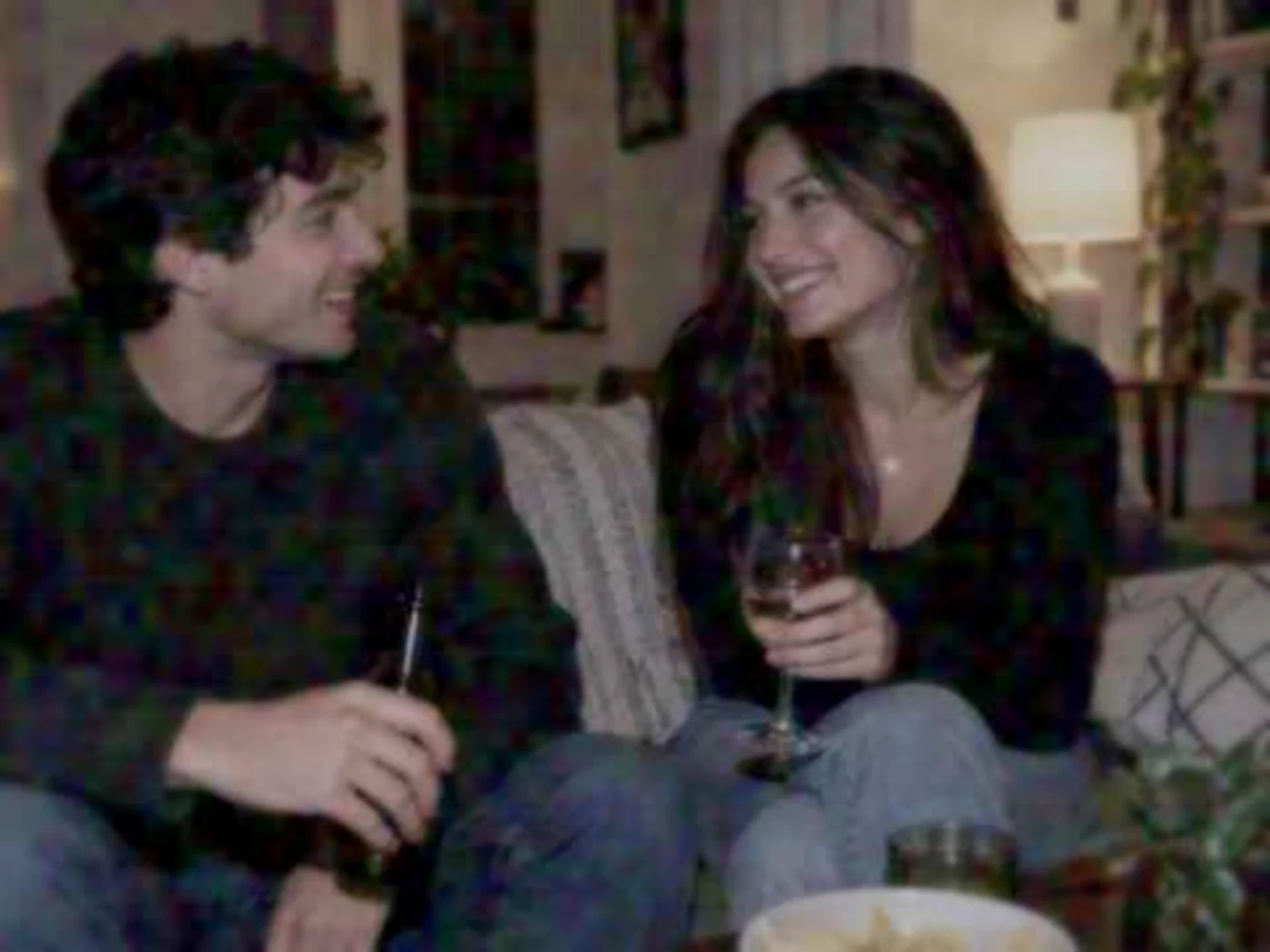
The 2000s webcam look came from a small, low-resolution camera working in imperfect indoor light, often beside a bright computer monitor. Fine detail softened, exposure fell, shadow color became unstable and compression had less information to preserve. A convincing recreation needs those losses to work together. A blue tint or pixel overlay on its own will not get there.
The comparison above uses a documented fictional source image and a genuine result from Throwback's local Online at 2 AM process at 74% intensity. The process changes the existing pixels; it does not generate new people, clothes or surroundings. The result is an authored 2007-inspired interpretation, not a calibrated copy of every webcam from the decade.
The short answer: webcams had very little image to work with
A late-2000s webcam picture could begin with a modest optical capture, then pass through software before appearing in a chat window. In a dim room, that small image had to describe a face, hair, clothing and the background with limited light and limited color information.
The result was often soft rather than cleanly sharp. Dark areas could carry broad patches of stray color. Compression simplified detail further, especially around hair, furniture and other busy edges. Monitor light could cool part of the scene, but it did not turn every room uniformly blue.
There was no single universal webcam look. Hardware, drivers, room lighting and chat software varied. Still, the family resemblance is easy to spot: low-resolution capture, soft optics, weak indoor exposure, unstable shadow color and a compressed final image.
What changed in the same-source test
The source image has clear faces, dark hair, knit fabric, a pale blanket and a bright lamp. Those features make the webcam process easy to judge without changing the scene itself.
At 74%, facial features remain recognizable, but small skin and hair details merge into broader shapes. The knit sweater loses its modern crispness. Dark areas pick up correlated color blotches instead of a fine, even layer of decorative noise. The lamp remains bright while the rest of the room feels dimmer and flatter.
That last point matters. A webcam effect should not simply blur the entire frame. The losses need to follow what is already in the photograph.
Throwback's process uses a 480-pixel capture plane as an editorial model. That is not a claim that every webcam produced an image with 480 pixels on its long edge. Logitech's archived QuickCam Connect E2500 specifications show why capture and advertised output should be treated separately: the camera listed 640 by 480 optical capture alongside larger software-interpolated photo sizes.
Webcam, digicam and flip phone are not the same look
All three belong to early consumer digital photography, but they break an image in different ways.
A pocket digicam usually aims for a photograph first. Its character can include direct flash, harder edges, clipped highlights and visible sharpening. Throwback's Digital Crush process follows that route. The 2000s digicam and Y2K guide explains it in more detail.
A flip-phone image has a different path again. A small phone capture may be reduced and compressed for a message, so the message-ready copy becomes part of the look. The flip-phone and MMS comparison shows that second stage.
A webcam sits still and looks into a room. Its familiar character comes from soft low-light capture, monitor-adjacent color and compressed live-camera imagery. It should not inherit a digicam's hard flash or an MMS image's twice-processed small-file structure.
How to recreate a believable webcam photo aesthetic
Choose a source with people reasonably close to the camera and some darker areas around them. A bedroom, living room or casual desk setup gives the process useful light and texture to work with. A distant daylight landscape may show the effect, but it does not play to the medium's strengths.
Open Online at 2 AM in Throwback Studio, add a photograph and compare it with the original while adjusting intensity. The camera treatment runs locally in the browser and preserves the people and composition in your source.
Look at the result at its normal display size first. Faces should still read, even when small details give way. Then enlarge it and inspect dark hair, clothing and the background. Color noise should gather in shadows, not sit evenly across bright skin and white walls. Compression should simplify fine detail without turning every surface into the same grid.
Avoid leaning on fake chat windows, date stamps or oversized pixels. Those can frame an image, but they cannot supply the optical softness, dim exposure and shadow behavior that make the photograph feel like a webcam capture.
Local camera process, not generative AI
Online at 2 AM is a local camera-process treatment. It keeps the source scene in place. Throwback's AI Time Portraits can generate a different setting, wardrobe or decade persona; that is a separate experience with a different kind of result.
This distinction is useful when choosing a tool. Use the webcam process when you want the same moment to feel as though it passed through a 2007 messenger camera. Use a generative transformation when you want another scene or another lifetime.
The underlying compression model follows the block-transform principles described in the JPEG standard, but the complete look is a Throwback interpretation rather than a hardware emulator. Try Online at 2 AM with your own photograph and judge the effect by what disappears, not by how many retro decorations appear.